

Legacy systems remain the backbone of many organizations, but they also create some of the biggest barriers to transformation. Aging platforms slow down delivery cycles, limit integration possibilities, increase operational risk, and raise maintenance costs each year. According to Forrester’s 2024 Enterprise Modernization Study, 70% of enterprises identify legacy systems as the number one obstacle to digital transformation, while Gartner forecasts that by 2027, more than 90% of modernization projects will rely on cloud-native or low-code technologies to accelerate delivery.
Modernization is no longer optional—it is a strategic requirement for operational resilience and growth. The Microsoft technology ecosystem offers one of the most robust, flexible, and scalable paths for transforming legacy systems without disrupting critical business operations.
This article explains how organizations use Microsoft technologies to modernize outdated platforms, which approaches work best, and what practical results look like in real implementations.
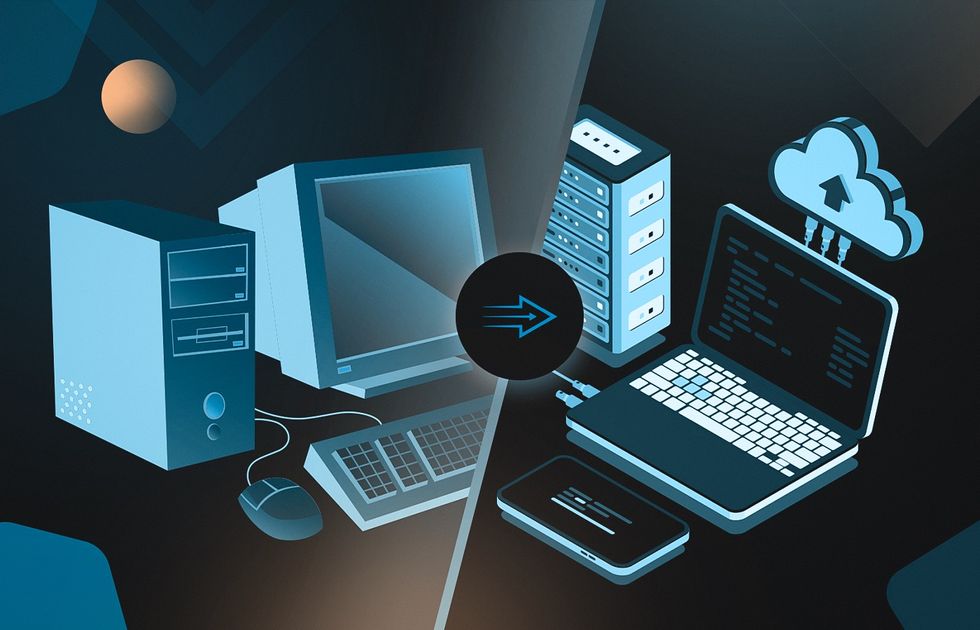
Why Legacy Modernization Has Become Urgent
Legacy systems create compounding challenges across technology and operations. Organizations typically reach a modernizing inflection point because of:
- Escalating maintenance and operational costs
- Slow delivery cycles caused by outdated code or rigid architecture
- Security vulnerabilities and compliance risks
- Inability to integrate with modern SaaS and cloud platforms
- Difficulty attracting developers familiar with legacy technologies
- Business units demanding faster workflow changes and automation
These pressures make modernization not just a technical upgrade, but also a competitive imperative.
Microsoft Technologies That Enable Successful Modernization
Microsoft’s ecosystem provides multiple modernization pathways depending on system complexity, business goals, and migration constraints. Each component solves a distinct set of problems.
.NET: Rebuilding the Core of Legacy Applications
When aging codebases become too fragile to extend, .NET provides a modern, stable, and high-performing foundation. Organizations often rebuild critical modules while keeping parts of the existing system running in parallel.
Key advantages:
- Long-term platform stability and support
- High performance for compute-intensive workloads
- Mature ecosystem and extensive tooling
- Strong compatibility with Azure cloud services
Azure: Cloud Migration and Infrastructure Evolution
Azure enables organizations to migrate from on-premise environments to secure, scalable cloud architectures while minimizing downtime. It supports complete rebuilds as well as phased modernization.
Key advantages:
- Elastic infrastructure scaling
- Built-in security and governance frameworks
- Full DevOps automation (CI/CD, monitoring, alerting)
- Support for hybrid-cloud or multi-cloud strategies
Power Platform: Modern UI and Workflow Transformation
For organizations with workflow-heavy or employee-facing legacy tools, Power Apps and Power Automate provide a fast way to modernize without rewriting entire systems.
Key advantages:
- Rapid delivery of new applications and forms
- Integration with existing databases and APIs
- Empowerment of non-technical users for ongoing extensions
- Lower development cost for workflow-centric applications
SharePoint: Replacing Outdated Intranets or Document Systems
Legacy document portals and internal collaboration systems frequently suffer from poor searchability, weak security, and manual workflows. SharePoint modernizes these use cases with structured collaboration and workflow automation.
Best for:
- Document-heavy business processes
- Workflow-driven intranets
- Departmental portals requiring secure access control
Dynamics 365: Transforming Legacy CRM or ERP Systems
When legacy business systems become bottlenecks—limited analytics, fragmented processes, no automation—Dynamics 365 offers an end-to-end alternative with modern extensibility.
Strengths include:
- Cloud-native CRM and ERP modules
- Deep integration with Power Platform and Azure
- Built-in analytics and workflow automation features
Modernization Approaches Using Microsoft Technologies
Rebuild with .NET and Migrate Infrastructure to Azure
Many organizations choose to modernize by rebuilding their legacy applications using .NET while shifting infrastructure to Azure. This approach is ideal when the existing system’s architecture can no longer support performance requirements or new product features. By rebuilding core components in .NET, teams establish a modern, maintainable codebase. Azure then provides elastic scalability, automated deployment pipelines, and improved security posture. Together, they create a foundation that reduces technical debt and prepares the organization for long-term growth.
Hybrid Modernization with Power Apps and an Azure-Based API Layer
A hybrid modernization strategy is often used when a legacy system must remain fully operational throughout the transformation. In this model, new interfaces, workflows, or administrative tools are rapidly built using Power Apps, while Azure services gradually replace backend logic. The legacy system continues to run but is progressively complemented by cloud-native components such as Azure Functions or API Management. This approach delivers immediate user-facing improvements without the risk of a disruptive full replacement, and it creates a clear pathway to eventually retire the old system.
Transition to Dynamics 365 to Replace Legacy CRM or ERP Systems
When aging CRM or ERP platforms become bottlenecks for operations, a direct move to Dynamics 365 can offer significant advantages. Dynamics 365 consolidates business processes, integrates data across departments, and introduces capabilities such as automation, reporting, and AI-driven insights that legacy systems cannot provide. The transition shifts organizations away from maintaining complex, disconnected software toward leveraging a unified, cloud-based business platform. This approach is especially effective for teams with outdated on-premise systems or heavily customized tools that have reached their functional limits.
Modular Modernization Through Gradual Component Replacement
In environments where the legacy system is too intertwined to replace all at once, a modular modernization approach may be the most practical option. Teams begin by identifying the most fragile, high-risk, or high-value modules and replacing them with modern, API-driven equivalents. Over time, additional components are refactored or rebuilt, integrations are updated, and data structures are standardized. This steady, controlled method reduces disruption, spreads investment over time, and allows organizations to modernize even the most complex or mission-critical systems without jeopardizing day-to-day operations.
Example: Legacy Platform Rebuilt on Microsoft Stack
A mid-sized logistics company operated a 15-year-old operations system built on outdated technologies with no API layer, limited reporting, and increasingly unstable performance. Maintenance costs were rising each year, and new features took months to deliver due to fragile dependencies.
What the modernization looked like:
- Core operational modules rebuilt using .NET for stability and extensibility
- Azure AD introduced for authentication, enabling modern identity governance
- Power Apps used to digitize internal workflows, eliminating paper-based processes
- Power BI dashboards launched to provide real-time visibility into operational KPIs
- Azure SQL Database implemented to replace legacy on-premise databases
Results after modernization:
- Workflow execution time reduced by 40%
- Maintenance cost decreased by 30%
- Feature delivery accelerated from months to weeks
- Departments gained instant access to operational insights
This type of hybrid modernization—rebuild + cloud migration + workflow transformation—is one of the most common patterns in the Microsoft ecosystem.
Key Success Factors in Microsoft-Based Modernization
Organizations that modernize successfully typically align around several critical practices:
- Clear prioritization of business-critical functionality
- Incremental rollout to reduce operational risk
- Unified architecture across new and legacy components
- Strong DevOps pipeline enabling continuous delivery
- Close collaboration with a partner experienced in Microsoft technologies
Modernization is not a single event—it is a structured evolution. The right strategy ensures stability today and scalability for the future.